Shift Work Calendar

FOR SHIFT WORKERS

A month of shifts, entered in about 20 seconds.

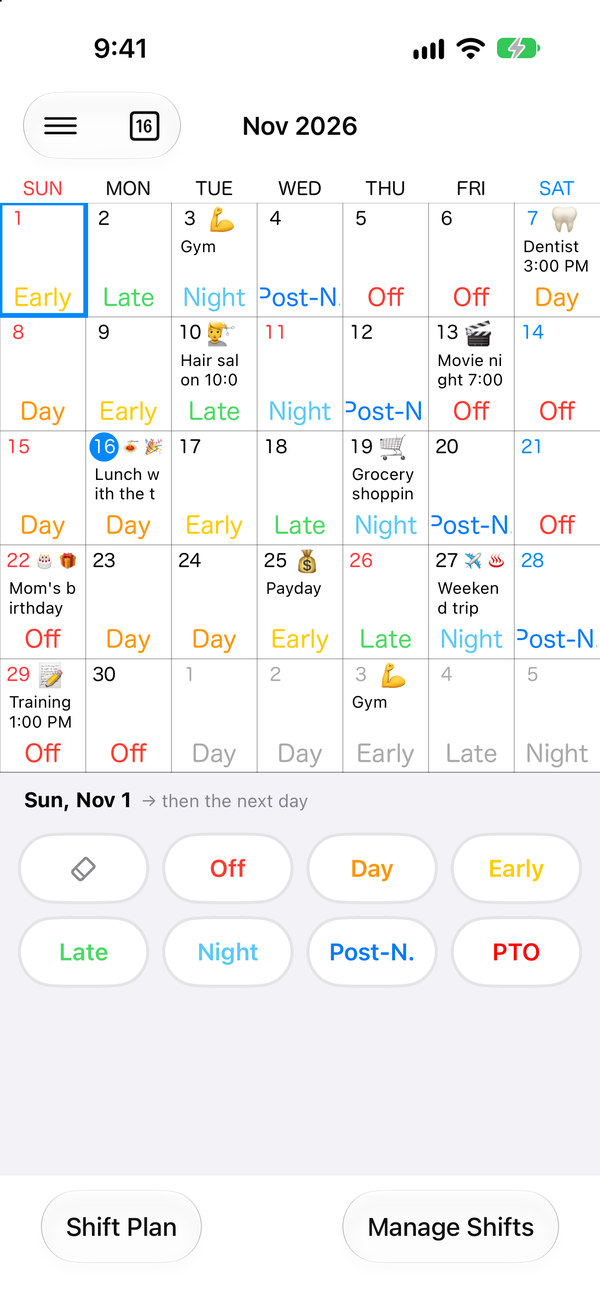
Early, day, late, night. Tap one button per day, and your shifts and plans sit together in a single calendar.


  • Early
  • Day
  • Late
  • Night
  • Post-night
  • Off
Download on the App Store Get it on Google Play

Free to use. Contains ads.

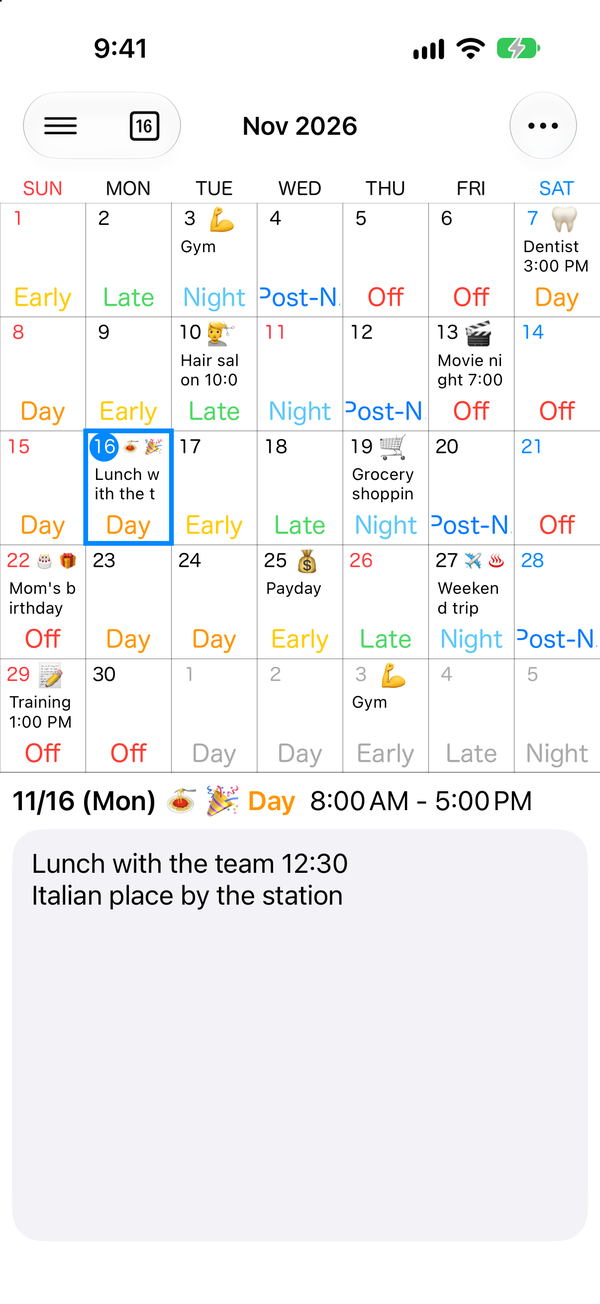
Calendar screen with a color-coded shift and plans on each day

4M+ downloads App Store and Google Play combined

A calendar for people whose hours change every day.

FEATURES

Quick to fill in. Quick to check.

Shift entry screen with buttons for Off, Day, Early and other shifts

Enter shifts with a tap

Tap a shift button and the calendar moves to the next day. A whole month takes about 20 seconds.

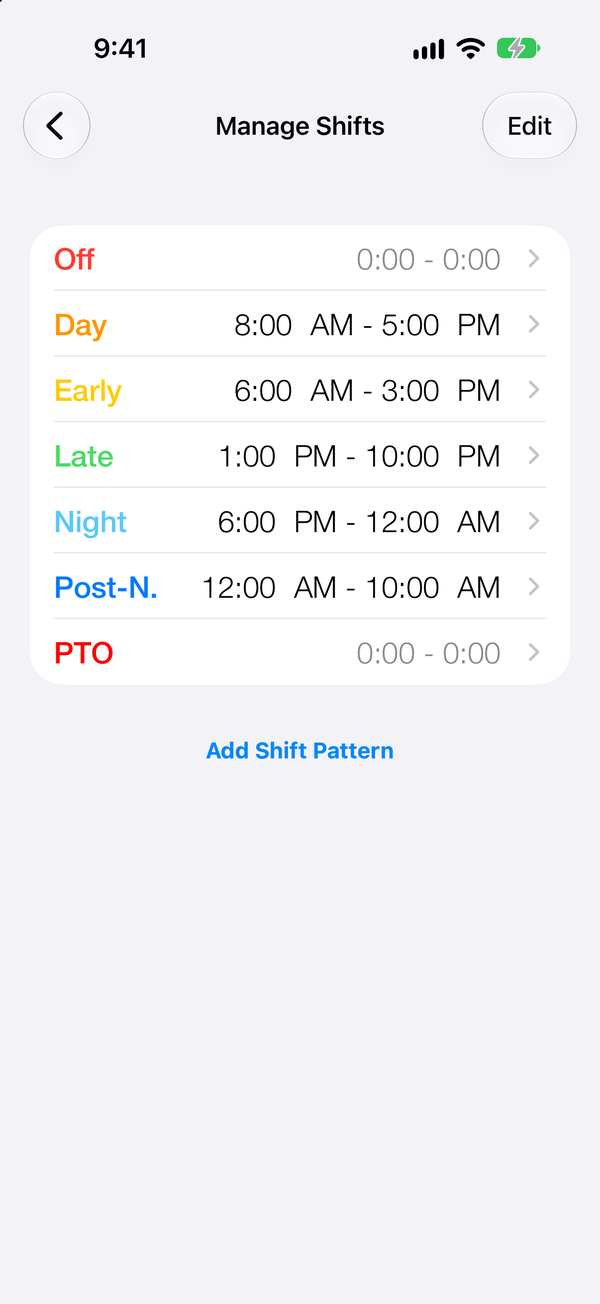
Shift settings screen listing each shift with its working hours

Shift patterns that fit your workplace

Set the name, color, working hours and break time for each shift. You can add your own patterns too.

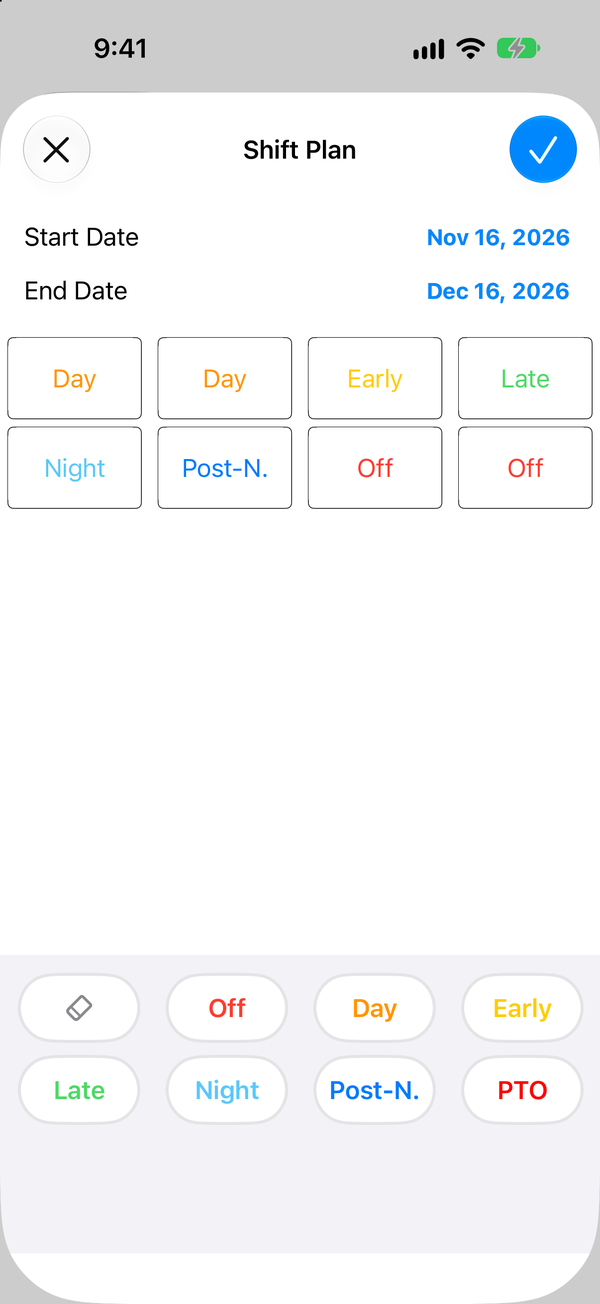
Shift Plan screen with a start date, an end date and a repeating order of shifts

Fill in a repeating rotation at once

Save a rotation such as Day, Day, Early, Late, Night, Post-night, Off, Off as a Shift Plan, and it fills the dates you choose.

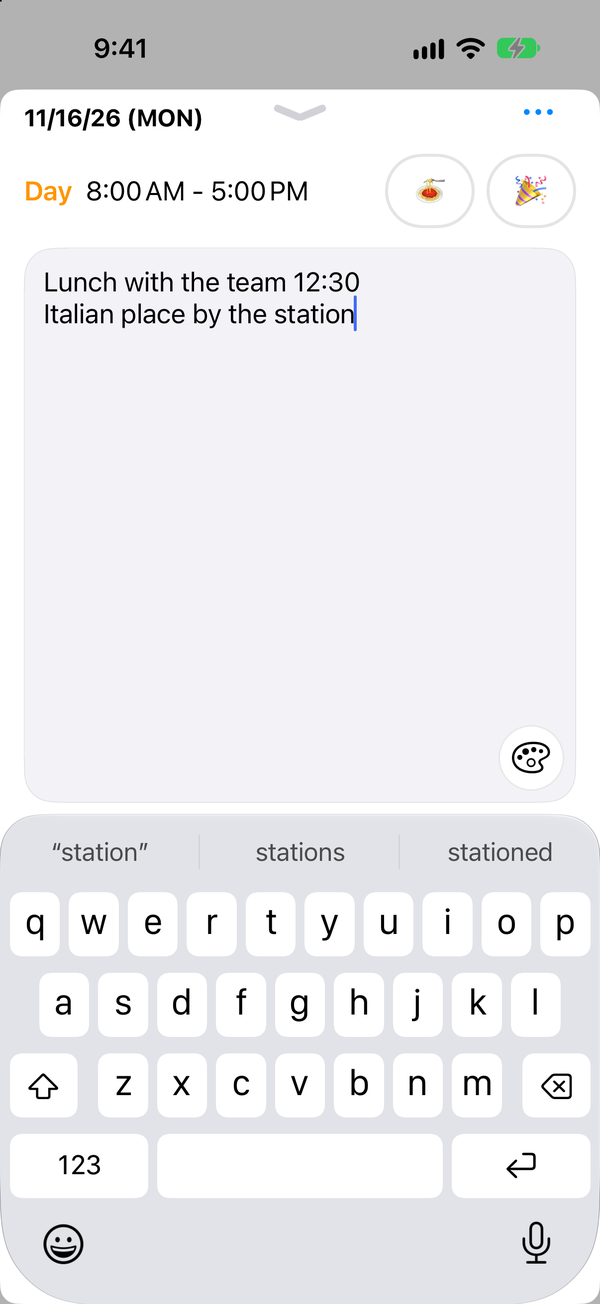
Note screen with a plan and icons written under the day's shift

Keep plans in daily notes

Write down a lunch or an appointment for each day. Emoji icons and background colors mark the day on the calendar.

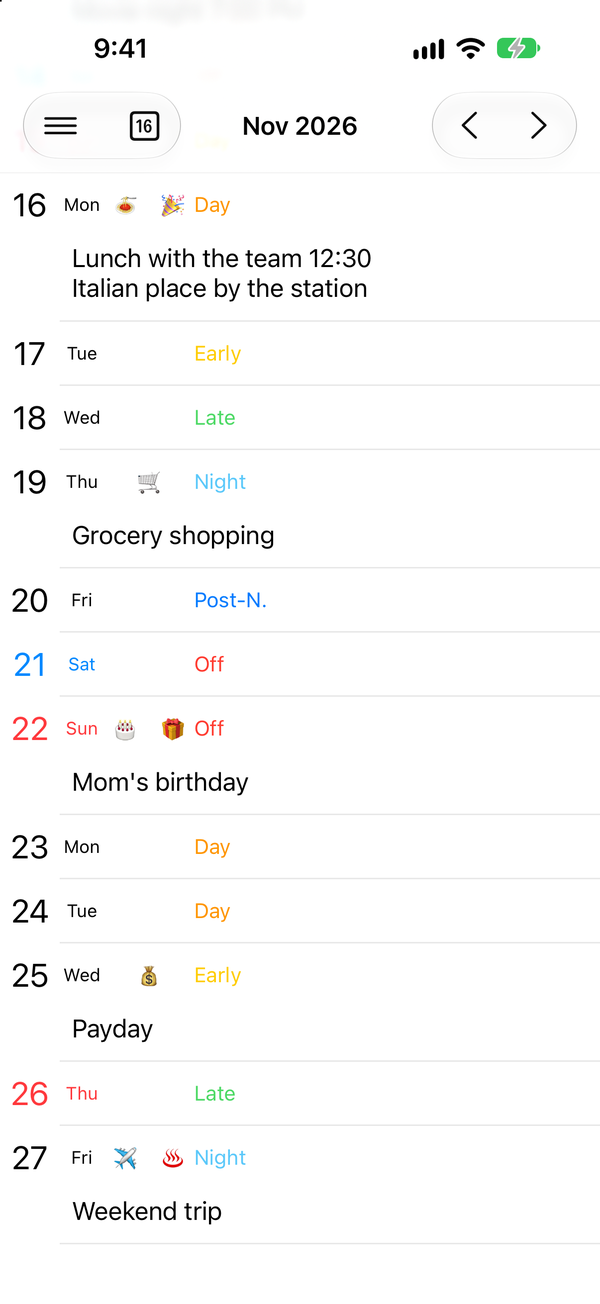
List view with shifts and notes shown by date from top to bottom

Read your schedule as a list

See shifts and notes in date order. Notes are shown in full, so you can read several days in a row.

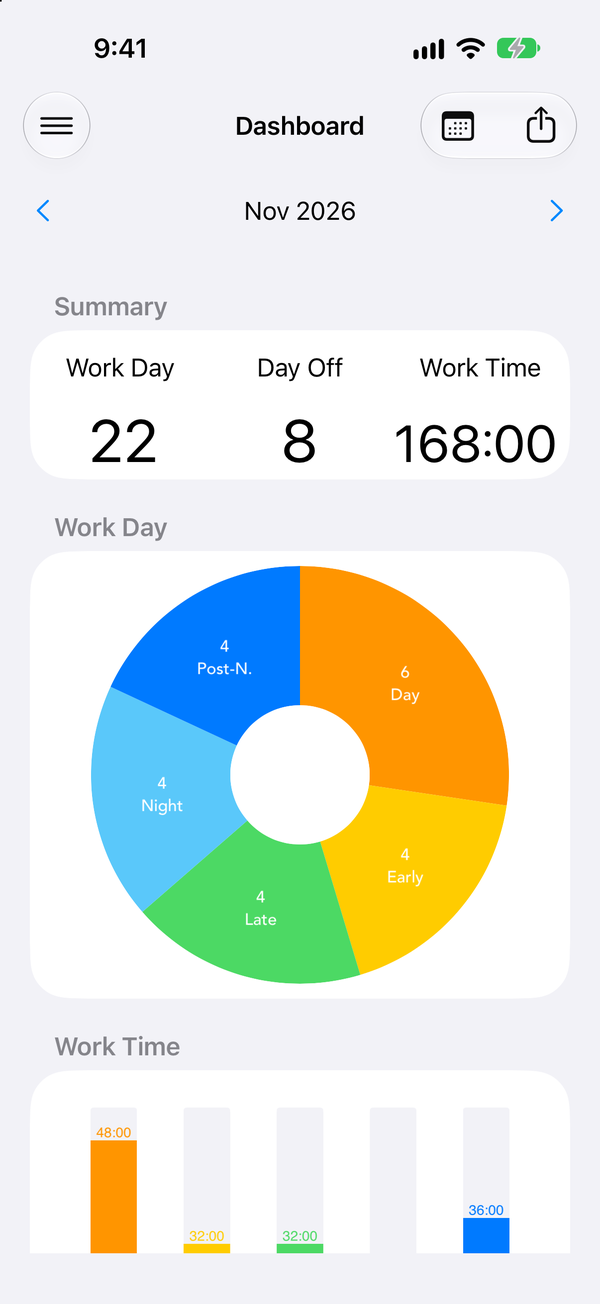
Dashboard screen with charts of working days, days off and total working hours

See how much you worked this month

Working days, days off and total hours are added up for each month, with a chart of the breakdown by shift.

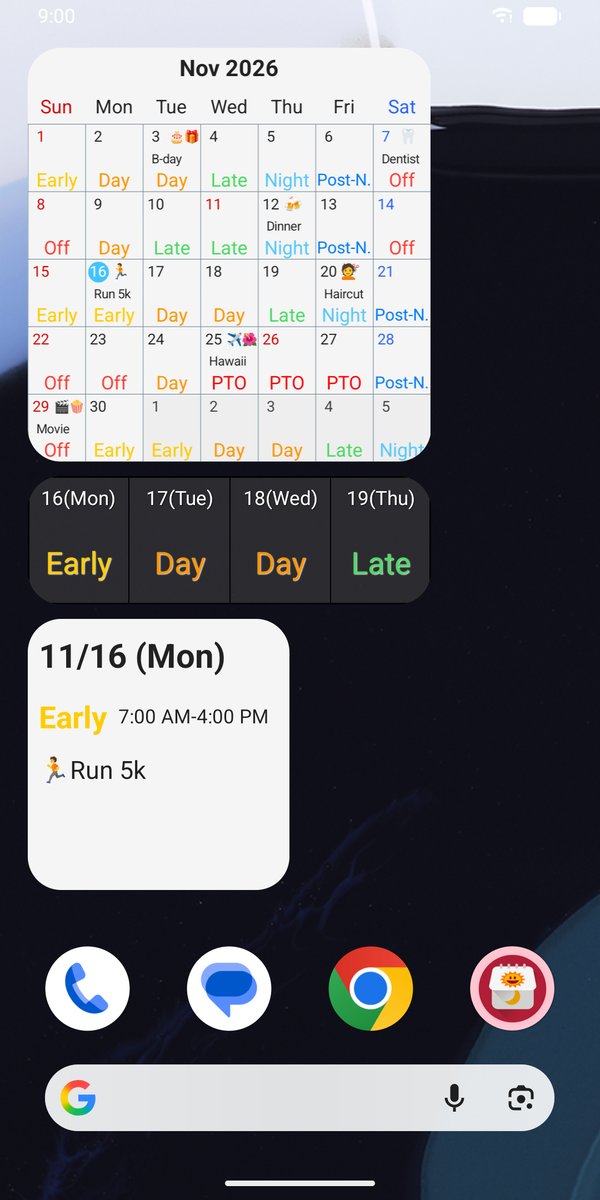
Today's shift without opening the app

Home screen widgets show the monthly calendar, the next few days, and today's shift and note. Check it as soon as you unlock your phone.

* The screen shown is from the Android version.

* The monthly widget is available only with the Premium plan.

Home screen widgets showing a monthly calendar, four days of shifts, and today's shift and note

PREMIUM PLAN

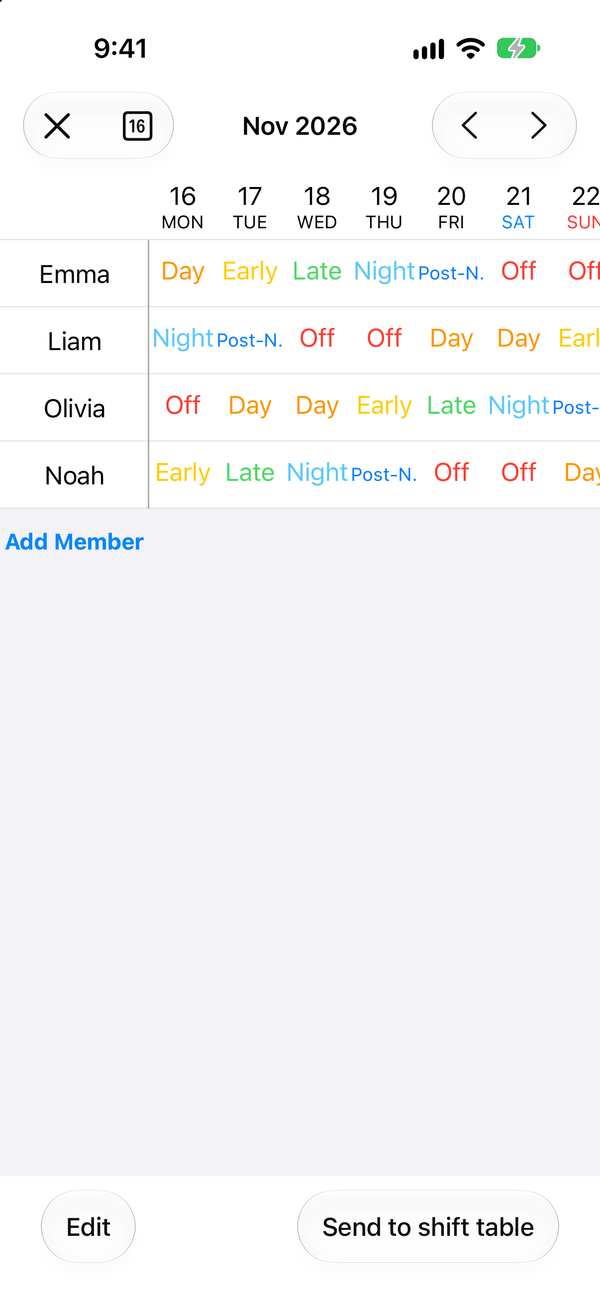
Your coworkers' shifts, in one table.

Line up your shifts next to your coworkers'. See who is on nights and who is off, and find someone to swap with. People who use Shift Work Calendar can also share shifts with each other.

Shift table screen with four people's shifts lined up by date

Shifts in your everyday calendar

Add and sync shifts with iOS Calendar on iPhone and Google Calendar on Android, so work sits next to your other plans.

No ads

With the Premium plan, ads are no longer shown in the app.
Questions and help

How-to guides and troubleshooting are in the Help Center.

Open the Help Center

Enter next month's shifts today.

Download on the App Store Get it on Google Play