

最速のEvernoteメモアプリ、QuickEverの新バージョンver 1.4.0 がリリースされました。


新しいバージョンではUIが一新されました。この記事では、その変更点についてご説明します。
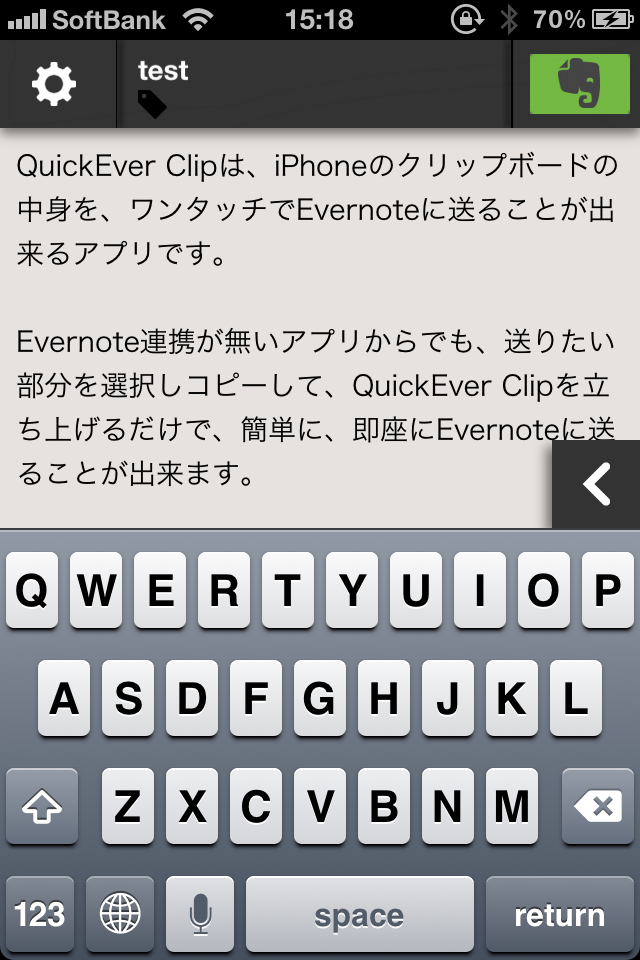
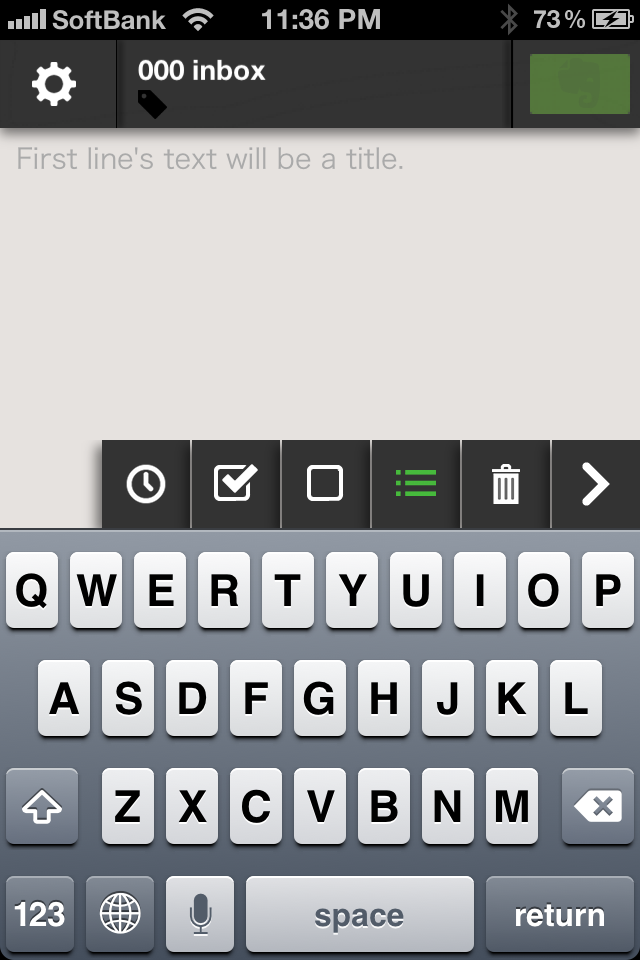
新ツールメニュー
ツールメニューが隠せるようになり、テキスト入力画面を広く使えるように変更しました。
また、ツールメニューのボタン押したときに、自動的に隠すオプションも追加しました。
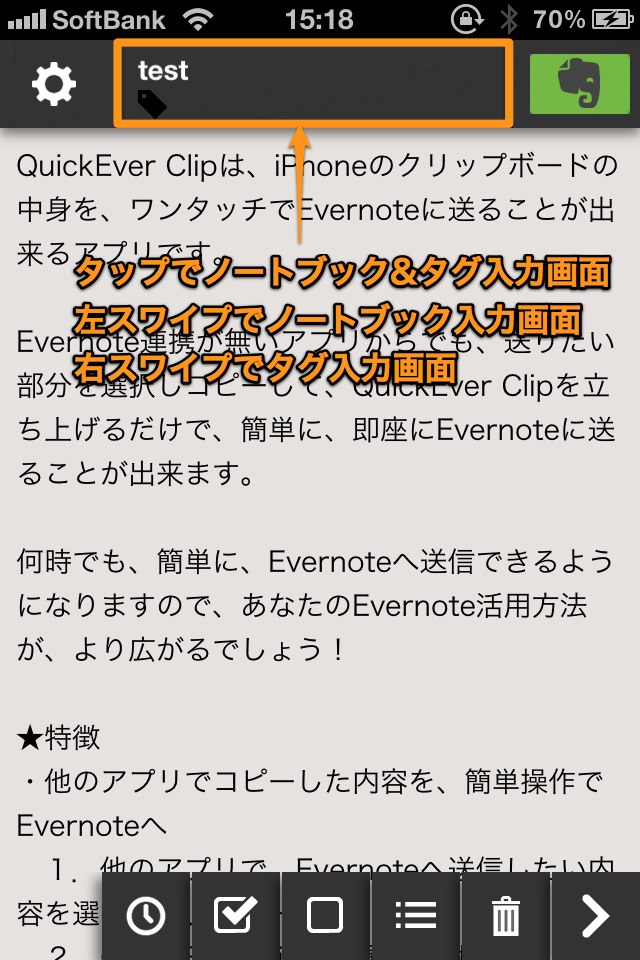
新ノートブック・タグ入力画面
上部のノートブック、タグが表示される部分をタップして、ノートブック&タグ選択画面を表示するように変更しました。ノートブック・タグを切り替えて入力できます。
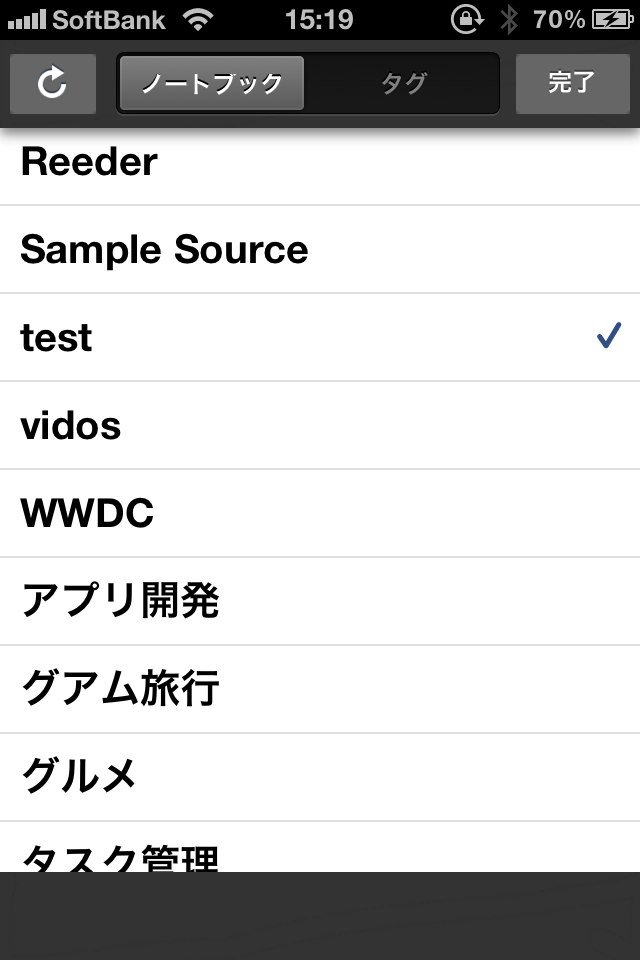
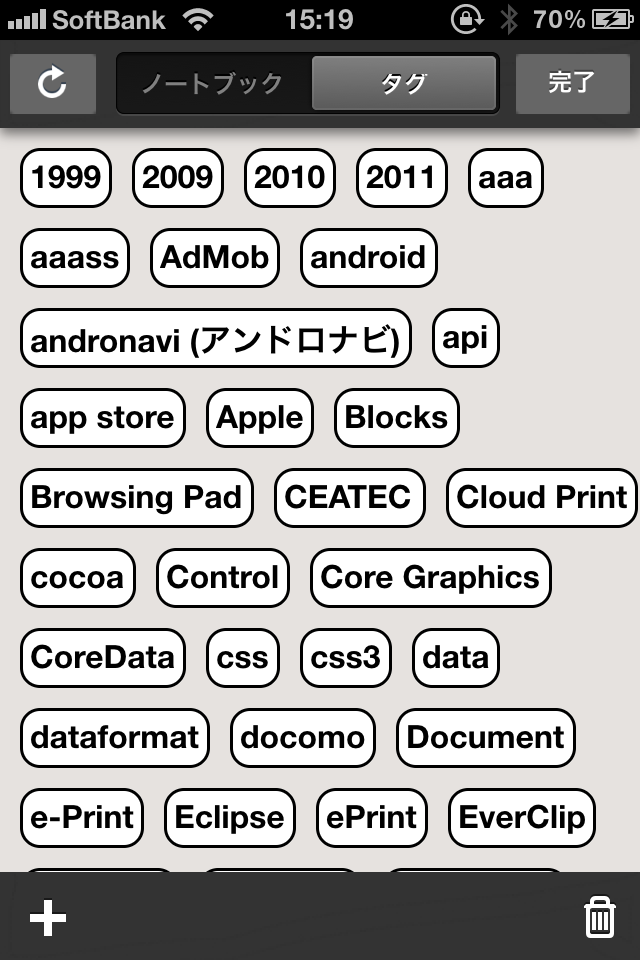
また、この部分を左スワイプで、ノートブック選択画面を単独表示、右スワイプで、タグ選択画面を単独表示できます。
ノートブックだけ、タグだけを入力したい場合は、こちらが便利です。
送信エラー一覧画面
ネットワーク状況などで送信エラーとなったノートを後から確認できるようになりました。
再度ノートを表示し、送信し直すことが出来ます。
※エラーの内容によっては、ノートブック等の指定などをやり直す必要があります。

生まれ変わったUIで、ますます使いやすくなったQuickEver。是非お試しください。
We released a new version 1.4.0 of QuickEver – the most fast Evernote memo iPhone app.
We have updated the user interface.
New Tool Menu
The tool menu is now hidden, and text input now has a larger usable area.
We have also added an option to automatically hide the tool menu just by clicking on it.
We have also added an option to automatically hide the tool menu just by clicking on it.
New Notebook&Tag Input View
Tapping the part that displays the upper notebook and tags displays the new notebook & tags view.
Also, swiping left will display only the notebook selection screen and swiping right displays only the tag selection screen.
Error List View
We have also added a page to easily view all transmission errors.